
Post
Corsair K95 RGB Platinum XT Gaming Keyboard
May
Corsair K95 RGB Platinum XT Gaming Keyboard: The Flagship Gaming Experience Redefined
In the competitive landscape of gaming keyboards, flagship products must justify their premium price with a compelling combination of features, performance, and build quality. The Corsair K95 RGB Platinum XT achieves this with considerable authority, establishing itself as one of the most capable and feature-rich gaming keyboards ever produced. Designed for serious gamers, streamers, and content creators who demand the absolute best from their peripherals, the K95 RGB Platinum XT delivers a comprehensive package that addresses virtually every need a power user could have.
First Impressions and Build Quality
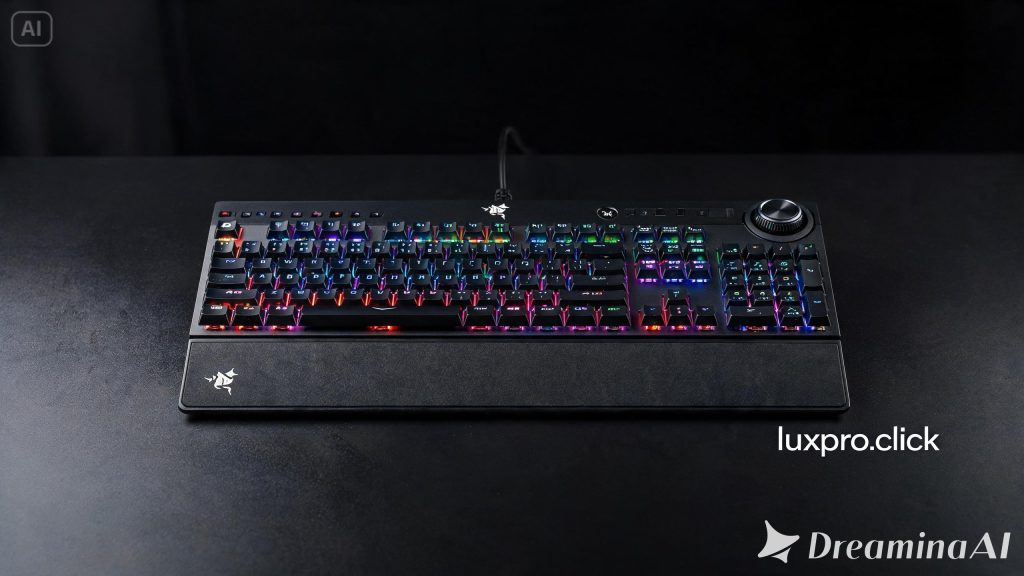
Unboxing the Corsair K95 RGB Platinum XT immediately communicates a sense of premium quality. The full-size keyboard with dedicated media controls and macro keys measures an impressive 468mm × 164mm, commanding desk real estate that announces its presence. The brushed anodized aluminum top plate is cool to the touch and extremely rigid — there’s absolutely no flex whatsoever in this keyboard, which weighs a substantial 1.27 kilograms. This is a keyboard that stays where you put it.
The dedicated wrist rest, included in the box, is covered in a textured leatherette material that feels premium and provides genuine ergonomic support during extended gaming sessions. The wrist rest attaches magnetically to the front of the keyboard, aligning perfectly and staying securely in place. It can be removed equally easily when desk space is at a premium.
The Cherry MX Switch Experience
The K95 RGB Platinum XT is available with Cherry MX Speed RGB Silver or Cherry MX RGB Blue switches. The Speed Silver switches are particularly noteworthy — they feature a dramatically reduced pre-travel distance of just 1.2mm and actuation at 1.2mm, compared to the standard 2mm pre-travel of regular Cherry MX switches. The result is extraordinarily fast key registration that can theoretically give competitive gamers an edge in fast-paced scenarios.
Cherry MX switches are renowned for their consistency and longevity, rated for 100 million keystrokes. In gaming scenarios, the Speed Silver switches provide a light, linear feel that allows for rapid repeated keystrokes — essential for actions like bunny hopping, rapid firing, or complex ability combinations in competitive games. For typists who prefer tactile feedback, the Blue switch option provides the classic clicky mechanical experience.
Macro Keys and Customization
The left side of the K95 RGB Platinum XT features six dedicated macro keys — G1 through G6 — which can be assigned virtually any function imaginable through Corsair’s iCUE software. These macro keys can store complex multi-key sequences, system commands, text strings, or even application launches. For MMO players who manage dozens of abilities, streamers who control streaming software, or content creators with repetitive tasks, these dedicated macro keys are genuinely transformative for workflow efficiency.
The macro keys support multiple profiles, allowing you to assign different functions based on which game or application is active. Profile switching can be automated through iCUE’s game detection, or manually triggered via dedicated keys at the top of the keyboard.
iCUE Software and RGB Lighting
Corsair’s iCUE software is the command center for the K95’s extensive customization options. The software provides per-key RGB lighting control across 19 zones, enabling virtually unlimited lighting configurations. Users can create custom animations, sync lighting effects across multiple Corsair peripherals (monitors, headsets, mice, RAM, and more), or import community-created lighting profiles from the iCUE marketplace.
The RGB lighting itself is among the brightest and most vivid available in any keyboard. The PBT double-shot keycaps (included with the keyboard) diffuse the LED light beautifully, creating uniform illumination without hotspots. The lighting is clearly visible in bright room conditions, which is an important consideration that lesser keyboards often struggle with.
iCUE also handles keyboard macros, key remapping, gaming profile management, and system monitoring. The software displays real-time system information (CPU temperature, memory usage, etc.) on the keyboard’s lighting — useful at a glance information without switching away from a game. The learning curve is moderate, but the depth of control justifies the investment of time in learning the software.
Dedicated Media Controls
Above the number pad, the K95 features an exceptionally satisfying volume control knob with textured metal construction and a smooth, precise rotation. Adjacent to it are dedicated stop, previous track, play/pause, and next track buttons, along with a mute button. These physical controls are vastly more intuitive than function key shortcuts for media management, particularly during gaming when you might need to quickly adjust volume without interrupting gameplay or pausing to remember a keyboard shortcut.
A dedicated Windows key lock button prevents accidental desktop minimization during gaming — a small but thoughtful feature that competitive gamers will appreciate.
Connectivity and USB Passthrough
The K95 connects via a braided USB cable with a unique dual-cable design — one USB connection for the keyboard itself and one for the rear USB 2.0 passthrough port. The passthrough port allows you to connect a mouse, headset, or USB storage device directly to the keyboard, reducing desk cable clutter. The cable braiding is high quality and resistant to tangling, though the keyboard’s wired-only design may disappoint users seeking wireless flexibility.
Onboard Memory and Profiles
The K95 features onboard memory capable of storing up to three profiles. This is particularly valuable when using the keyboard on a friend’s computer or at LAN events where iCUE software isn’t installed — your custom lighting effects, macros, and key assignments travel with the keyboard. Three profiles cover most use cases, though power users with highly specialized needs may wish for additional profile slots.
Gaming Performance
In competitive gaming scenarios, the K95 RGB Platinum XT performs at the highest level. N-key rollover ensures every simultaneous keypress is registered correctly — essential for complex simultaneous inputs. The anti-ghosting implementation is flawless, and the polling rate at 1000Hz ensures inputs are processed with minimal latency. In practical gaming, the keyboard feels instantaneous and precise.
The Speed Silver switches particularly shine in first-person shooters where movement key responsiveness is paramount. Counter-Strike players, Valorant competitors, and battle royale enthusiasts will notice the difference in strafing precision that the reduced actuation distance enables.
Long-Term Durability Considerations
The cherry MX switches’ 100-million-keystroke rating translates to many years of use even for the most active gamers. The aluminum top plate shows minimal wear over extended use, and the PBT keycaps resist shine significantly better than ABS alternatives. The keyboard is genuinely built to last, which helps justify its premium price point.
Who Should Buy the Corsair K95 RGB Platinum XT?
This keyboard is ideal for competitive gamers who want every performance advantage, streamers and content creators who benefit from dedicated macro keys, users who are invested in the Corsair iCUE ecosystem, and anyone who demands the most fully-featured gaming keyboard available. It’s less suitable for users seeking wireless functionality, minimal desk footprint, or budget-conscious shoppers.
Final Verdict
The Corsair K95 RGB Platinum XT earns its flagship status through genuine excellence across all dimensions. The build quality is exceptional, the feature set is comprehensive, the gaming performance is top-tier, and the customization depth through iCUE is unmatched. For the gamer who wants the best — and is willing to pay for it — the K95 RGB Platinum XT is a keyboard that will satisfy for years to come.
Overall Rating: 9.1/10
